Add A Section For A Full Day Schedule Blocker
Students who are assigned to a program for a full day must have a blocker course entered to indicate that the student is attending the program and are not attending the home school.
Find The Course
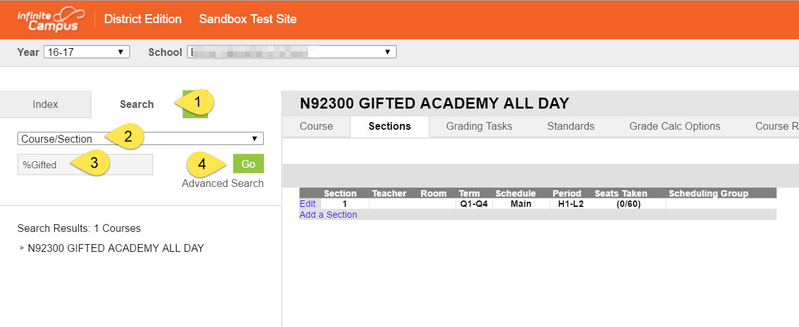
- On the Index Section, click “Search”
- Choose “Course/Section” in the drop down box.
- In the search box enter the course name or number
In the example we used Gifted Academy All Day- %gifted
- N92300
- For a complete list of all Blocker Courses - Click link to Blocker Course List
- Click GO
Add A Section
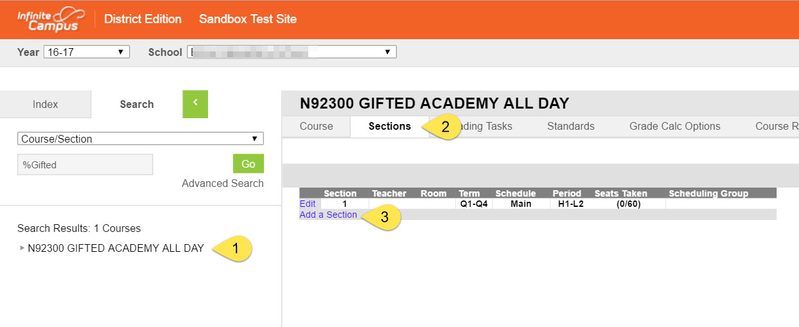
- Click the course name
- Click “Sections” Tab
Click “Add Section”
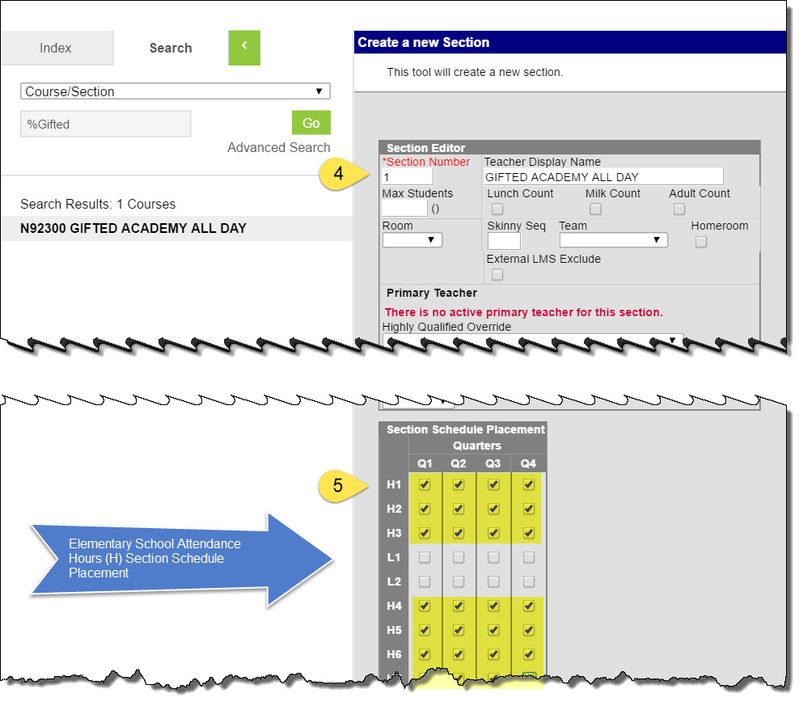
4. In the “Section Number” box enter 1
Type the name of the Blocker Course in the Teacher Display Name field. This will be helpful when generating certain reports.
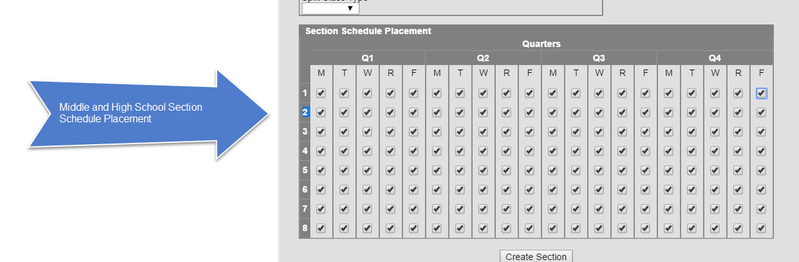
5. In the “Section Schedule Placement”
- Elementary School should check All Attendance Hour (H) Check Boxes for Q1, Q2, Q3, and Q4.
- Middle and High Schools should check Every Period, Every Day for Q1, Q2, Q3 and Q4
- Elementary School should check All Attendance Hour (H) Check Boxes for Q1, Q2, Q3, and Q4.
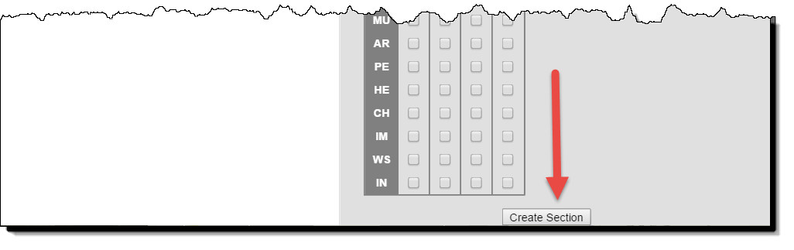
6. Click “Create Section”